
EX07的功能GUI能完成其中的80%其余的20%则需要使用命令管理控制台,下面只有使用POWERSHELL设置EX07的内容,所以不是企业语音的全部配置过程,完整的过程请参考其他帖子。
本来想发到EX区去,但是想到这些都是与OCS做整合前的准备工作就放这里了。
1.新建dialplan
本来想发到EX区去,但是想到这些都是与OCS做整合前的准备工作就放这里了。
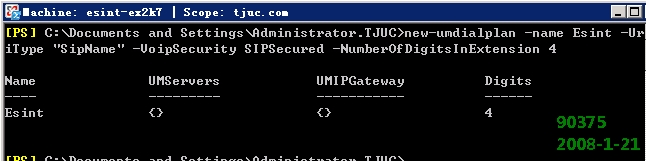
1.新建dialplan

2.获得FQDN

3.关联服务器

4.运行exchucutil.ps1
默认运行脚本有问题
默认运行脚本有问题
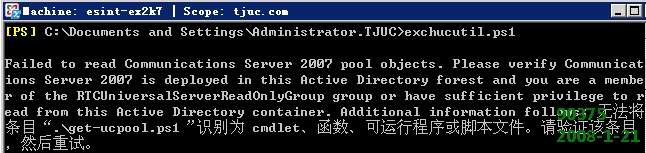
默认的脚本
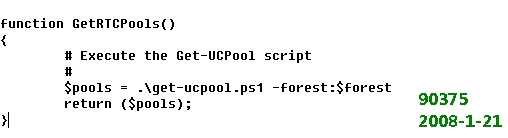
修改后
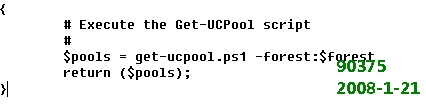
再次运行

5.新建GW
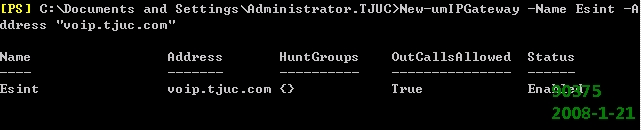
修改GW端口 否则会损失部分功能

6.新建Huntgroup

7.新建autoattendant
.
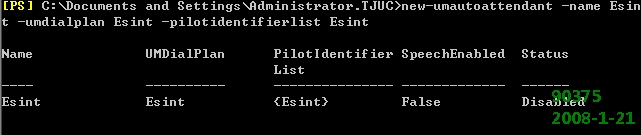
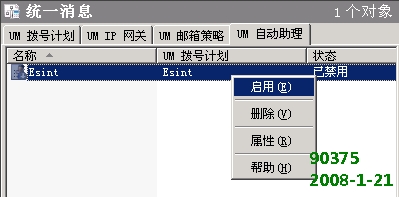
命令行启动总有问题,GUI吧
8.为邮箱开启UM功能

 8-UM mailbox1.jpg (62.79 KB)
2008-2-20 21:43
附录:step(看不清看下面)
1.new-umdialplan -name Esint -UriType "SipName" -VoipSecurity SIPSecured -NumberOfDigitsInExtension 4
2.(Get-UMDialPlan Esint).PhoneContext
3.$ums=get-umserver; $dp=get-umdialplan –id Esint; $ums.DialPlans +=$dp.Identity; $ums | set-umserver
4.exchucutil.ps1
5.New-umIPGateway -Name Esint -Address "voip.tjuc.com"
6.Set-umipgateway –identity voip.tjuc.com –port 5061
7.New-UMHuntGroup -Name Esint -Pilotidentifier 6000 -UMDialPlan Esint -UMIPGATEWAY Esint
8.new-umautoattendant -name Esint -umdialplan Esint -pilotidentifierlist Esint
9.手工开启AA
10.enable-ummailbox -id dongjun -ummailboxpolicy “Esint” -Extensions 6001 -SIPResourceIdentifier dongjun@tjuc.com -PIN 556677